This week in LIS 568 was the first time I learned about TPACK. We read a Practitioner’s Guide to Technology, Pedagogy, and Content Knowledge (TPACK): Rich Media Cases of Teacher Knowledge. The authors elaborated on a class of third graders who assembled a digital timeline of important historical events based on their prior knowledge. Students worked in groups, and discussed why they thought a person or event belonged at a certain date on the timeline (Hofer et al., 2015). I love the idea of students creating their own timelines to learn give context to historical events while remembering and interacting with important dates in history.
I tried a technology tool that the TPACK authors recommended, Timetoast, to learn how to create my own timeline. I can see this working in school libraries to support curriculum while also influencing the classroom. The only set-back is that a free account with Timetoast is limited. It can only support one user and students and educators could potentially see adds. Teachers that want to use this tool often will most likely have to upgrade.
For this lesson, I imagined I would create a timeline with set dates and movable pictures like the Practitioner’s Guide had explained. Students would move the pictures and events to the correct years. The Timetoast tool is more focused on a user creating their own timelines about any subject. So instead, I created a timeline of events in the American Revolution that students typically learn in Elementary School.
Creating a timeline was easy. To add events, I simply used a button that said “Add event.” I titled the event, typed a description and uploaded a photo. The process was simple and repetitive. If a student was using it, I could see them easily using their own knowledge to add a description of an event. This would allow the student to establish their own point of view on an event. But I can see younger students struggling to continue to use the tool without a lot of instruction and practice. Overall, if teachers are looking for students to create very simple timelines with small descriptions of historical events that add context, this site could work. If they were looking for more customizable timeline features, they could explore other tools here: https://www.commonsense.org/education/top-picks/best-timeline-creators-and-templates
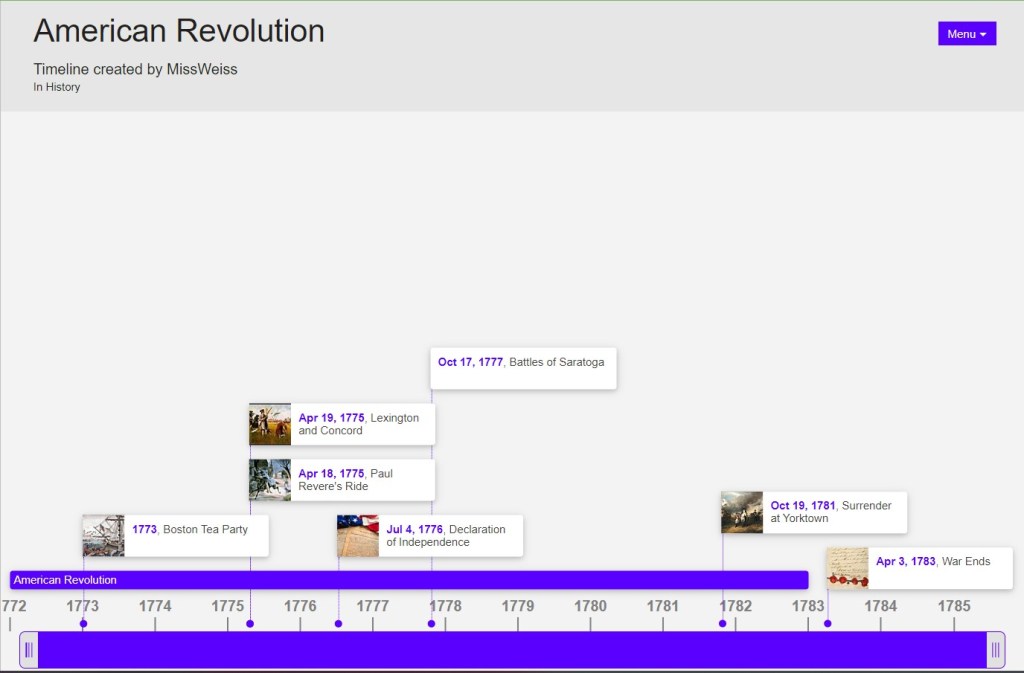
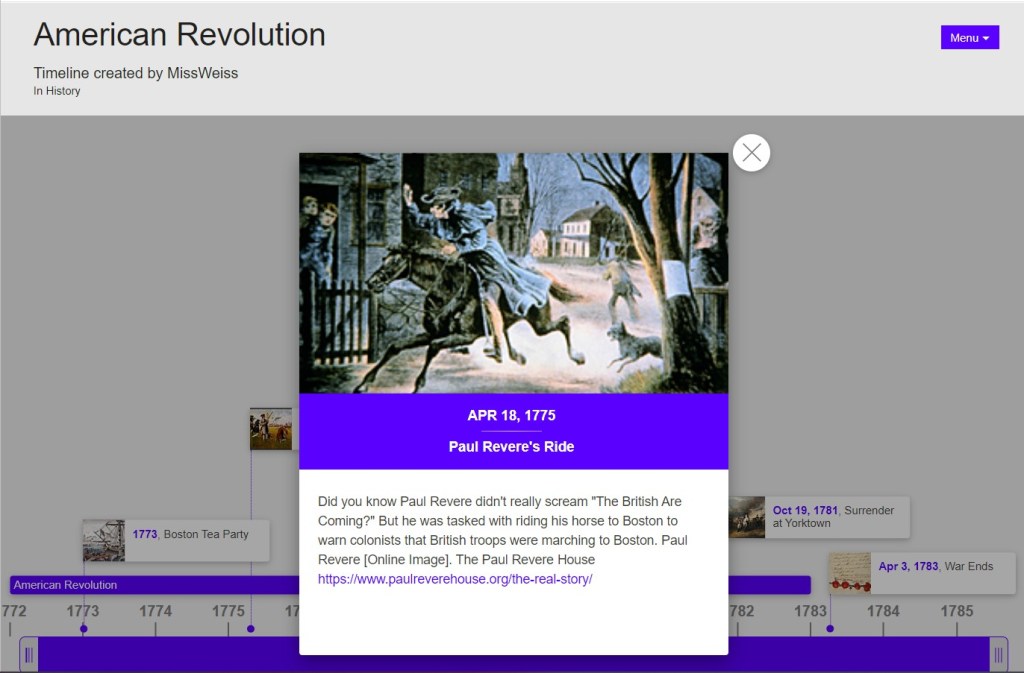
You can explore my timeline with this link: https://www.timetoast.com/timelines/2178642
A librarian could use this in their space in so many ways. Teachers can create their own timelines for students to view. In elementary schools, this could be a companion to read alouds that involve historical books or biographies. This tool is also a really great way to support the learning that students do in classrooms as they learn more about history. Librarians in primary schools might match a read aloud to what students are learning in class. Then students could create timelines featuring what they learned from the book and what they learned in class. This gives students visuals to what they’re learning about, and also gives them context to see how history wasn’t shaped in isolation. For other activities, students can create timelines of their lives, to learn what timelines are, and to learn about the passage of time.
For secondary classrooms, it would be great to collaborate with teachers to use this tool. Since there is potential to add photos and also descriptions, students would have to ethically cite their sources. Students would grow their knowledge of history and information literacy skills. Students could also publicly publish their timelines so other students could interact with them. This means that groups or individuals could create timelines of different historical periods or events and then share that information. Librarians would facilitate as students teach each other and gain important collaboration skills.
What I also enjoy about this tool is that it can be used with small groups of students collaborating, or used with a whole class with a teacher as a guide. If a librarian notices that students are having trouble using Timetoast or don’t understand the lesson, they can easily change their plan and create a timeline with a whole class.
That’s it for my first blog post and first time trying out Timetoast!
We love APA 7th Edition here at my blog:
References
Hofer, M.J., Bell, L., Bull, G.L., Barry, R.Q., & Cohen, J.D. (2015). Practitioner’s guide to technology, pedagogy, and content knowledge (TPACK): Rich media cases of teacher knowledge. W &M Scholarworks.
 Gabrielle Weiss Blog